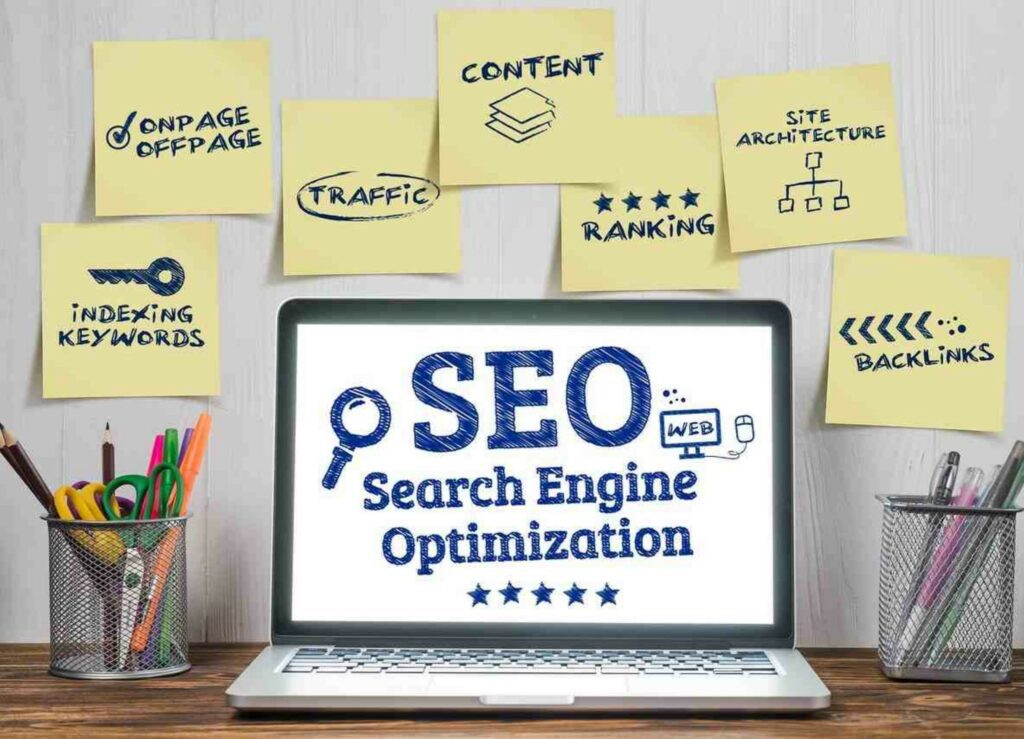
As a digital marketer, one of the strategies you would want to implement is to make your website rank at the top of the search engine results page (SERP), when users search for information related to the products or services your business offers. These Keyphrases a user searches in search engines to obtain information are called keywords.
It is best to equip yourself with SEO strategies and understand how to optimize your blog posts for SEO to rank your website at the top of the search engine results page (SERP).
There are millions of websites in the world, each competing to rank at the top of the search engine results page. Your website has an equal chance to compete for the same position by implementing this guide on how to optimize your blog for SEO (Search Engine Optimization) and the strategies or techniques discussed.
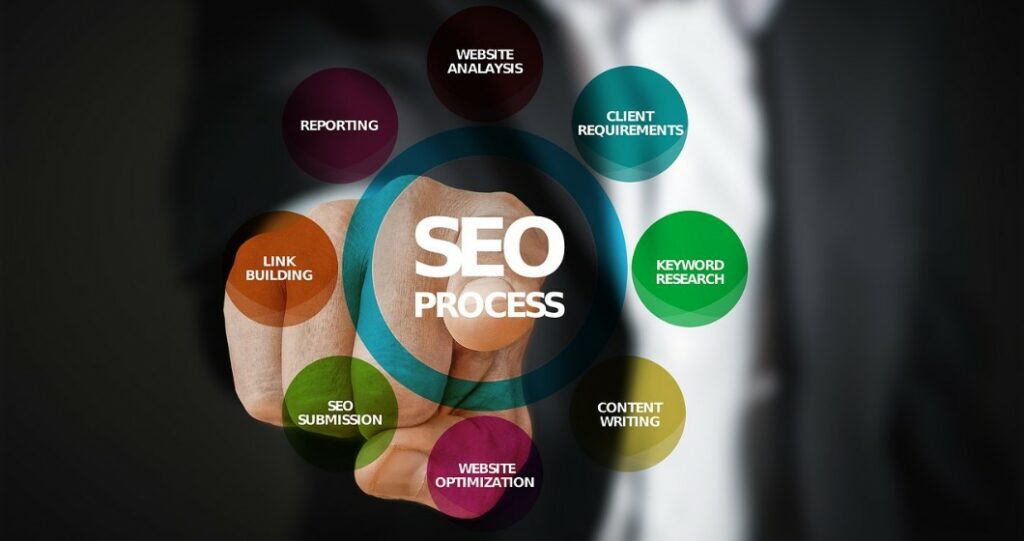
SEO helps search engines understand your content and helps users to find your website. It is also good to understand that SEO is a digital marketing strategy that aims to acquire organic traffic to your website over time. It may take up to 6 months to start seeing SEO results, and a continuous increase of traffic to your website over time.
By fully implementing the strategies discussed below, your website will be well-placed for search engine optimization (SEO) and will start generating organic traffic.
CONTENT
- Optimize the URL of your website
- Create optimized and appealing headline for your content
- Create relevant and useful content
- Use keywords in your content
- Use an easy-to-read font family and font size
- Create content with sufficient words
- Use images in your content
- Optimize videos on your site
- Optimize meta tag
- Build on internal and external links
- Build on backlinks
- Make a good user experience (UX) and user interface (UI) design
- Experience, Expertise, Authoritativeness, and Trustworthiness
- Page Speed
- Conclusion
1. OPTIMIZE THE URL OF YOUR WEBSITE
The URL is a basic component of your website that you can easily forget, yet it has some impact on your website. Below are important factors you need to consider while selecting your URLs.
- Use HTTPS
HTTPS (Hypertext Transfer Protocol Secure) is an improved version of HTTP (Hypertext Transfer Protocol). HTTPS makes your website secure against cybercrime and identity theft by indicating a set of rules that will decide how data is transmitted and exchanged.
HTTPS protects users as they browse through your website. A secure website makes users feel comfortable and creates trust in them. It assures users that the connection to your site can be trusted and gives them confidence to visit your site. This ultimately helps to boost traffic to your website.
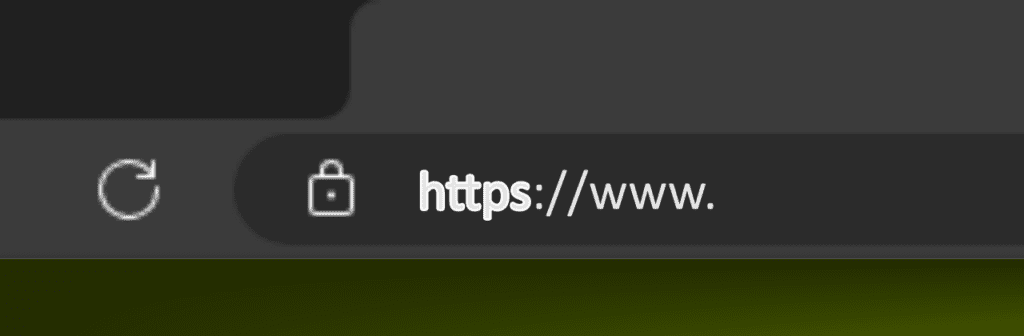
To make your website use HTTPS you need to install an SSL certificate in your website’s control panel. Hosting companies provide SSL certificates once you acquire a new domain, however, it is recommended to use SSL certificates offered by companies specialized in SSL. These companies offer high-end secured connections and 24/7 customer service to address any issues related to your website’s SSL
An example of an SSL certificates plugin for websites using WordPress is Really Simple SSL. Really Simple SSL provides SSL certificate for your WordPress website with additional advanced security features. Check out Really Simple SSL review.
- URL Length
Consider making a shorter URL length. According to Neilpatel SEO friendly URL has a length of about 50 to 60 characters. An indication that you should have the total characters of your permalink within this range. A character in your URL will include letters, numbers, and symbols that form your permalink.
A permalink can also be referred to as a permanent link or subdirectory. It is called a permanent link because it is not expected to change throughout the lifetime of a live web page.
A slug is a section of a permalink that indicates the name of a specific page or blog. It helps users and search engines understand what the page or blog is about.
For example, let us break down the URL structure below.
Digital Marketing: Learn how it works and Everything you need to know
| https:// | The Protocol or Scheme: It indicates a set of rules that decide how data is transmitted and exchanged. |
| www | The Subdomain: It is used to separate a section of a website. |
| trendsandinfo | Domain: It specifies the entity or business that owns the URL. |
| .com | Top-level Domain: It indicates the type of organization the website is registered to. Other examples include “.org”, “.net”, “.io”, etc. |
| /digital-marketing/how-digital-marketing-works | Permalink |
| how-digital-marketing-works | Slug: Section of the permalink |
- Use a Keyword in your URL
At least include a keyword in your URL (permalink). Use at least one keyword per URL.
- URL Structure
Use best practices while creating your URL Structures. Consider the following factors while creating your URL.
a) Use lowercase letters while creating your URLs
b) Use readable words in the URL.
c) Use hyphens “-“ to separate two words or more words in the URL.
Bad Practices
a) Using the underscore “_” while creating URLs
For Example: https://trendsandinfo.com/digital_marketing/how_digital_marketing_works/
b) Joining words together in the URL
For Example: https://trendsandinfo.com/digitalmarketing/howdigitalmarketingworks/
c) Using long ID numbers
For Example: https://trendsandinfo.com/index.php?id_ione=360&sid=3a5ebcf849f730f1
- Use not more than two folders per URL
The “/” symbol identifies folders in a URL. Let’s consider the previous URL again.
Digital Marketing: Learn how it works and Everything you need to know
From this URL “/digital-marketing” is the first folder of the URL and “/how-digital-marketing-works” indicates that the HTML file “how-digital-marketing-works” is in the second folder that opens the blog page.
2. CREATE OPTIMIZED AND APPEALING HEADLINE FOR YOUR CONTENT
A headline is the title you give to your content which appears at the top of your web page or blog. An appealing headline attracts readers and makes them anxious to find out more about the content under the headline. The readers’ goal is to get a website with the information they need. An appealing headline becomes a point of introduction to convince the readers that they have visited the right page which contains the information they need.
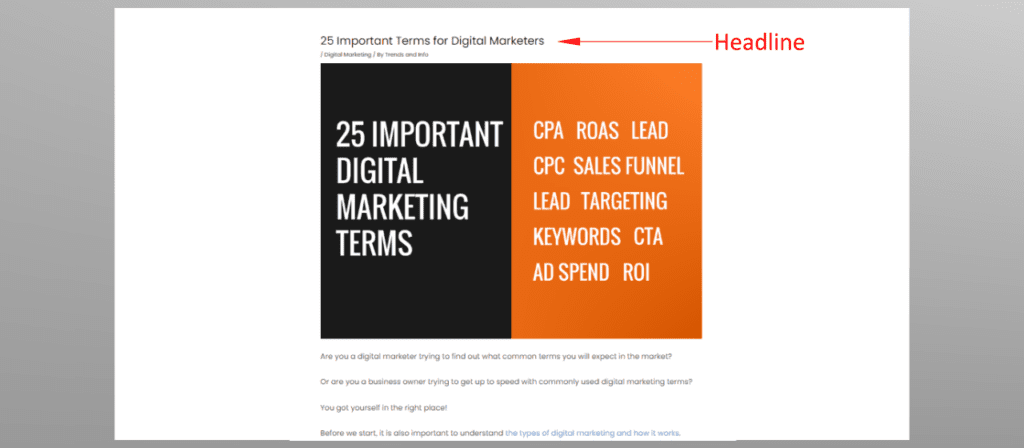
Make sure that your headline is relevant to the information in your context. Creating a misleading or irrelevant headline that does not match the content provided will negatively affect your website’s traffic.
Lastly, use power words in your headline. Power words engage readers emotionally connecting them with the title and the content.
3. CREATE RELEVANT AND USEFUL CONTENT
Users visit your website to seek information. As a content creator, you should put yourself in the users’ space and create content that aims to help them solve their problems. You can achieve this by creating relevant and useful content. Providing relevant information attracts more users and referrals to your site.
Always keep your content up to date and periodically check and fix any broken external reference links used in your content. It is always important to periodically check whether the content you created needs updates or additions.
For example, you may have created a blog about a certain software and its features. However, over time the business making the software may have introduced additional features, free, subscription, or lifetime licensing plans, etc. Periodic checks will help you identify areas of change and keep the user updated with recent and relevant content.
Another important point to note is considering making genuine content without the help of AI. AI-generated content comes from other websites that AI has crawled. Users want to read something new instead of already existing content from other sites.
4. USE KEYWORDS IN YOUR CONTENT
Another boost for SEO is using keywords in your content. In addition, consider using keywords in the first 100 words. Keywords make your page compete at the top of the search engine results page when a user searches for certain information that is provided in your content.
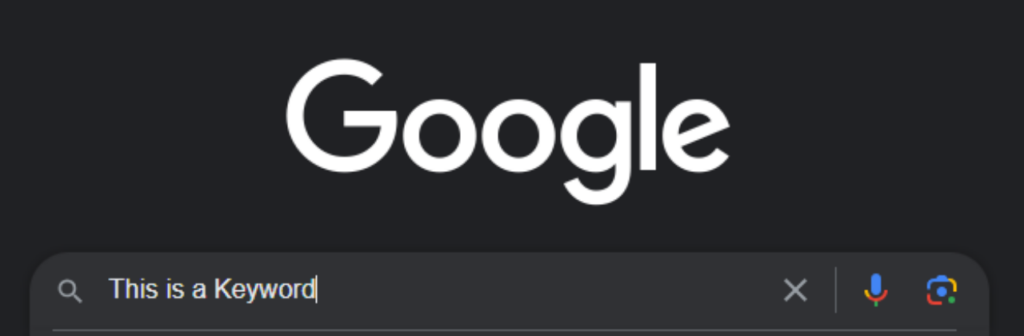
Consider mixing short keywords and long keywords to make your page competitive for a particular keyphrase. Besides using keywords in your content, don’t use too many keywords to try and rank higher but rather aim to create relevant and useful content as this is what users seek most.
5. USE AN EASY-TO-READ FONT FAMILY AND FONT SIZE
An easy-to-read text with a good font family creates eye comfort. It protects the reader from having eye strain and provides a good atmosphere while reading. Additionally, a favorable font size relaxes the reader’s eyes and prevents them from straining.
A font size between 16px and 18px will be appropriate for your content. You are not limited to using any font size, however, by simple observation you may notice that most sites tend to have a font size within this range.
On the other hand, texts with weird font families and very small font sizes make the readers strain which might make them uncomfortable and choose not to visit your site again. This will greatly affect your website traffic and generally the SEO of your website.
6. CREATE CONTENT WITH SUFFICIENT WORDS
Users search for information and the more informative and unique your content is the better. Content with more than 600 words is sufficient. However, having content with more than 1500 words is better. More content means more information that is diversified and which makes readers identify the information they need.
For example, some readers may visit your website to get additional information they did not get on other websites. In this case, if your website has the additional information it will attract additional traffic which is good for SEO.
7. USE IMAGES IN YOUR CONTENT
Images help users understand your content. A visual display tends to increase the rate of understanding of users as they interact with your content. Consider following the factors below for image optimization.
- Use images with good quality for example images that are 2560 pixels have better quality than images with 720 pixels.
- Avoid uploading large-sized image files. Images with 2560 pixels will have large megabytes (MBs). Aim to reduce the image file size to below 80KB. This is achieved by compressing the image while maintaining good quality. You can use software such as Adobe Photoshop, GIMP, etc. to compress images. Large files affect the loading time of webpages and end up affecting user experience.
- Use the most commonly recommended image file formats JPEG, PNG, or GIF. Each of these images has different file sizes and different uses. You may need to use either of them depending on the purpose of your content but keep in mind the image file size should not be high.
- Give your image file a name and also add Alternative Text (Alt Text) to your images. While naming your image file separate words with hyphens as shown below. Alt Text can be added through coding or in WordPress as shown below.
<img src=” elephant-in-a-game-reserve.jpg” alt=” Elephant in a Game Reserve “/>
From this example
The image file name is “elephant-in-a-game-reserve”
The image format is “.jpg” which is a JPEG.
The Alt Text is “Elephant in a Game Reserve”
- Remove meta tags (metadata) from the photos. The meta tag is information embedded in the image. This information may include the location where the image was taken, the camera model used to take the photo, and the date and time the photo was taken. Such kind of information increases the image size yet it’s not important for website applications.
In addition, including images in the content also helps search engines find your content in the Images section of searches. It increases your content’s visibility making users access your webpage from different sections of the search engine results page.
8. OPTIMIZE VIDEOS ON YOUR SITE
Videos can be used to supplement information of written content or be the source of the content. Users are more likely to view videos because they provide a more interactive experience. It is important to optimize these videos for better user experience and interaction.
Like images, including videos in your content also helps search engines find your videos. Add unique titles and descriptions to your videos. Prevent making your blog page complex or containing many prompts before a user views your videos. This might hinder Google from finding your videos in search results.
9. OPTIMIZE THE META TAG*
A meta tag provides information about your webpage when it ranks in the search engine results. In WordPress, Meta information can easily be added using SEO plugins such as RankMath. If you are building your website using an expert, the meta information is added as an HTML code snippet.
Your meta information should have the following components:
- Title: Just as any other titles in books, magazines, etc., make your title attractive and appealing. Use power words such as “Best”, “Important”, “Worth”, etc. Where there’s relevance, use numbers in between words to create attention, curiosity, or anxiety to users such as current year for example “Best Hotels to Visit in Your-City in 2024”, “10 important factors to note…”, etc.
- Description: A meta description provides a summary of a web page. It is displayed on the search engine results page (SERP) as a snippet that helps users have an idea of what content they will get when they click on your page link.
10. BUILD ON INTERNAL AND EXTERNAL LINKS
As the words suggest, internal links are links that connect your readers to other pages within your website while external links are links that connect your readers to other websites. Building on internal and external links helps search engines discover your web pages and display them on search results. The links are important to connect readers to resources that may provide them with additional information.
In addition, since links provide more context to a topic you are writing about, they also help to demonstrate your knowledge of the content you are writing about to the readers and search engines. On that note, it is important to always link to relevant resources.
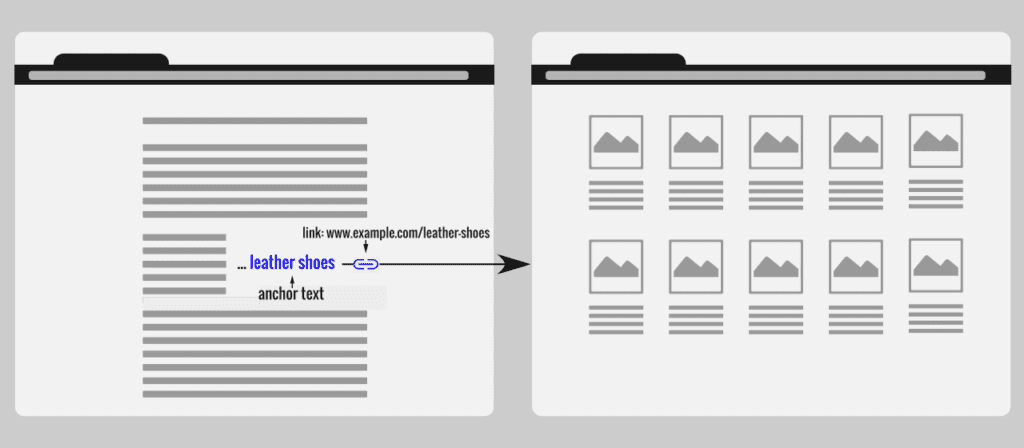
Link using appropriate anchor text to help users and search engines understand what your link contains or what it links to. Note that while creating anchor text avoid using words like “click here”, “here”, “click link”, etc.
For example, let’s assume you are making content about leather shoes and want to link to a URL given as https://www.example.com/leather-shoes. The image below shows an example of a recommended anchor text.
11. BUILD ON BACKLINKS
Backlinks are links created from external websites that point to your website. As discussed above, your external link pointing to another website becomes a backlink to that website.
An important reason to have backlinks is that they make your webpage discoverable through other websites linking to your site and also discoverable to search engines as they crawl these websites. As a content creator, you should aim to get quality backlinks from pages with good domain authority.
Below are ways you can use to get backlinks.
- Create Linkable Content Assets
This is a very valuable but hard way to earn backlinks. It involves creating high-quality content to naturally attract backlinks from other websites through link-building or promotional efforts.
- Learn and Improve from your Competitors
Referred to as the “Skyscraper Technique” where you build backlinks by first researching successful content made by your competitors which contains many links. Secondly, creating a better version of the content with additional information and even using a different approach. Then finally, reach out to those linking to the original content and request them to link to your content.
- Get Featured in Listicles
A listicle is an article created in a list format with additional text relating to the article. Listicles can contain topics like “20 Best Hotels to Visit in Your-City”, “Top 10 Smartphone Brands”, etc. Reach out to the website owners and request them to list your webpage.
- Build on Broken Links
This will need you to do some research on broken links or dead links on other websites within your topic then reach out to the website owners and suggest replacing the broken link with your working link.
A broken link or dead link is a link that leads to a 404: Not Found error page. There are online tools like Semrush and ahrefs that can help you identify broken links in websites.
For example, let’s assume you have a page blogging about YouTube Content Marketing. You then find a website that also talks about Content Marketing and has a broken link in a sub-topic under YouTube Content Creation. Since you already have a page blogging about YouTube Content Marketing, you can reach out to the website owner through an email indicating the presence of the broken link and requesting the owner to replace it with your working link.
- Asking to link from unlinked mentions
This includes finding blogs that mention your brand but have not linked it to your content, and then requesting them to make the mention linkable to your content.
- Help a Reporter Out (HARO)
HARO is a website that connects journalists, reporters, and bloggers with expert sources for their stories. It provides an opportunity to earn backlinks from reporters. It creates a platform where professionals seek to find credible sources and experts who are eager to contribute and provide these sources. You may get a backlink if a journalist chooses to use your content as a source.
- Guest Blogging
It refers to writing and publishing a blog post on another person’s or business’s website in return for getting credits like linking to your website. It is a win-win situation between the blogger and the blog owner. Identify websites with similarity or relevance to the content on your website while Guest Blogging to attract the right audience to your site.
12. MAKE A GOOD USER EXPERIENCE (UX) AND USER INTERFACE (UI) DESIGN
User Experience refers to how a customer interacts with a software, app, website, or product. It focuses on the feeling or process that a user undergoes while interacting with a product rather than the aesthetic or appearance of the product.
For example, let’s say you have a social media app that requires a user to log in to his/her account with a two-factor authentication, which sends a verification code after the password is inserted. However, when the password is entered, it takes a long time to receive the verification code and when received a message is displayed to the user “login failed verification code does not match”. Eventually, the user will become frustrated and impatient and uninstall the app. This is basically because the user did not have a good experience while using the app.
User Interface refers to the point of human-computer interaction. Contrary to UX, UI focuses on the aesthetic or appearance of software, apps, websites, or products. For example, the buttons, layouts, screen, scrolling features, etc.

Although UX and UI define different aspects, they both work together to deliver better services to the customer.
13. EXPERIENCE, EXPERTISE, AUTHORITATIVENESS, AND TRUSTWORTHINESS (E-E-A-T)
Create content that demonstrates Experience, Expertise, Authoritativeness, and Trustworthiness (E-E-A-T). Give users information that they may want to reference or come back to later to remind themselves. If you have a passion for educating people, make sure to do enough research before posting blogs. Understand the topic that you want to blog about. Create content that can impact the well-being of society or readers.
14. PAGE SPEED
Page Speed also known as Load Speed is a measure of how fast the contents of a page load. Page loading speed is a Google ranking factor in web search ranking on desktops and mobile. The ideal load speed is less than 3 seconds according to Google.
Page speed is essential as it affects user experience. A fast loading speed has a positive user experience while a slow loading speed has a negative user experience.

Consider some factors below to increase your page load speed. However, I also recommend using tools like Page Speed, and WebPagetest to evaluate your website speed and other suggestions.
- Use a fast and reliable web hosting service such as DreamHost, HostGator, Bluehost, GoDaddy, Wix, etc.
- Enable browser caching for your website. This can be done using a plugin or by using code.
- Optimize your images and avoid having too many images on your website.
- Avoid using too many plugins. Focus on using necessary plugins only.
- Use a Content Delivery Network (CDN) – This is beneficial for Businesses with online presence such as social media websites like Facebook, e-commerce platforms like Shopify, and entertainment websites like Netflix.
- Avoid creating a very complex website.
CONCLUSION
As we conclude these are additional factors that are important to mention.
- Submit your website’s sitemap to the respective search engine tools
Since we are discussing SEO, it is important to mention about sitemaps. A sitemap enables your website to get indexed by search engines and make it visible on the Search Engine Results Page (SERP). You will need to submit your sitemaps in Google Search Console, Bing Webmaster Tools, Yandex, etc., to make your website appear in SERP in one or all of the search engines mentioned.
- Advertise your website
As much as SEO brings organic traffic to your website, it might take longer to start seeing results. Advertising your website makes it visible earlier and helps generate traffic before SEO carries the rest. It is also good to consider advertising your website depending on the product or services you offer, your marketing goals, and how fast you need your brand to get recognition and website visitors.

